Affiliate disclosure: Tradqora may earn a commission if you sign up through some links on this page. Practising on a demo costs nothing, and we’d suggest staying there until you’ve read the checklist at the end.
Your demo balance has gone from $10,000 to $23,400 in a week, and you’re wondering whether it’s time to put real money in. That’s the exact moment most beginners make their most expensive decision. A Quotex demo account is a free practice account funded with virtual money, reported at $10,000, that runs on the same trading interface as a live account. It’s useful for learning the platform and testing rules. It’s not proof you’ll make money. Below you’ll find how to open it, how to top up or reset the balance, what changes when real money is involved, and a readiness checklist to use before you switch.
What is a Quotex demo account, and is it free?
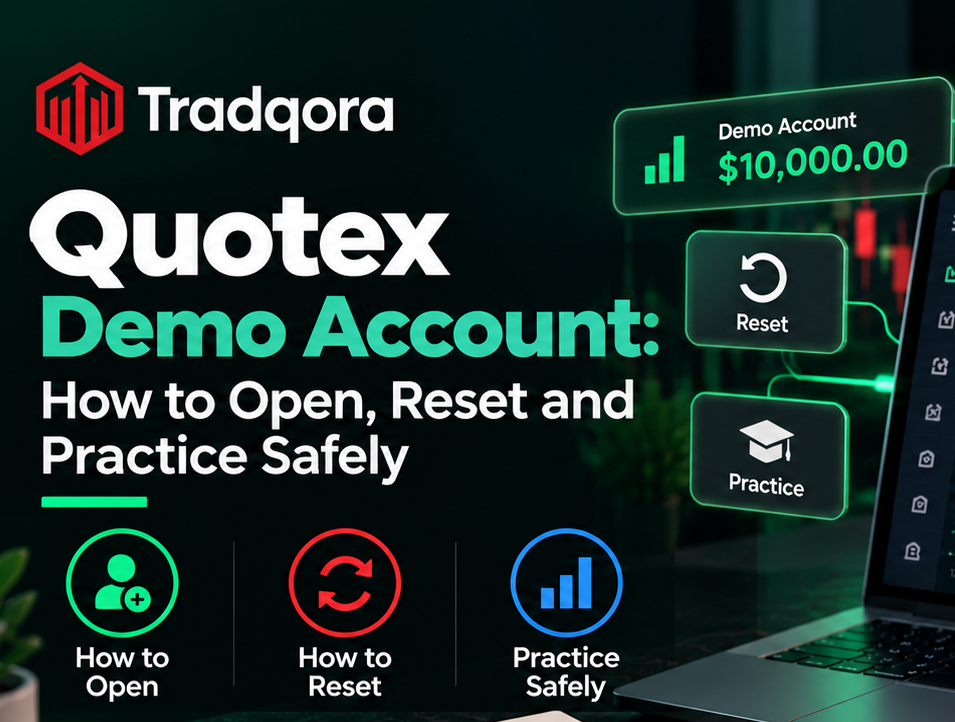
A Quotex demo account is a practice account that lets you place trades with virtual funds instead of real money, and it’s free. Third-party reviews in 2025 and 2026 (Traders Union among them) report a starting virtual balance of $10,000. Confirm the exact figure on the platform when you open it.
The demo uses the same chart, asset list, expiry times and order buttons you’d see on a live account. That makes it the cheapest way to learn where everything is before a mistake costs you anything. What it can’t copy is the feeling of watching your own money move, and that gap is bigger than most people expect.
How to open a Quotex demo account step by step
You can usually open a demo in under three minutes. Some users report a one-click demo without registration on the official site; others report needing a free account first. Follow whichever the official page offers on the day.
- Go to the official Quotex website or download the app from the Google Play Store or Apple App Store only. Avoid APK files from third-party sites.
- Choose “Try demo” if it’s offered, or “Sign up” with your email and a strong password.
- Confirm you’re 18 or older and accept the terms. Read the risk disclosure while you’re there.
- Verify your email if asked.
- In the trading room, switch the account selector from “Live” to “Demo.” The balance should show the virtual amount.
- Pick one asset, set a small trade amount, choose an expiry, and place your first practice trade.
Double-check the account selector before every session. Trading on the live balance by mistake, thinking it’s the demo, is a real and avoidable error.
How to reset or top up the Quotex demo balance
The demo balance on Quotex can be topped up from inside the account when it runs low, according to user guides. The exact button and limits change with platform updates, so check the demo balance menu in your own account.
Is the Quotex demo account unlimited?
In practice, yes, in the sense that the demo is generally reported not to expire and the virtual balance can be refilled. Unlimited virtual money has a hidden cost, though. If losses don’t matter because a reset is one tap away, you’re not practising risk control at all. You’re practising clicking.
A better way to use resets
Treat a reset as a failed test, not a fresh start. Before you refill, write down what drained the balance: trade size too large, too many trades in a row, or trading outside your plan. Then set a rule to fix that one thing. A demo journal with ten such entries teaches more than a month of unlimited balance.
Here’s a practical approach that works well for beginners. Ignore the $10,000. Decide what you’d actually deposit, say $50, and trade the demo as if that were the whole balance. If you’d blow through $50 in the demo, you’d blow through it in real life too.
Demo vs real account: what actually changes?
The trading screen looks the same, but three things change when money is real: execution conditions, your emotions, and the consequences of mistakes. The table shows where the differences come from.
| Factor | Demo account | Real account |
|---|---|---|
| Money at risk | None | Your deposit |
| Balance | Virtual, refillable | Only what you deposit |
| Prices and execution | Reviews note demo pricing and fills may not exactly match live conditions | Live conditions, which can vary during news or high volatility |
| Emotions | Low stakes, easy to follow rules | Fear and frustration make rules harder to follow |
| Bonuses and promotions | Not applicable | May apply, with turnover conditions |
| Withdrawals | Not applicable | Subject to verification and method rules |
| Behaviour after a loss | Reset and move on | Pressure to “win it back” |
The emotional row matters most. Discipline is easy when losing costs nothing. Most people who trade well on a demo and badly on a live account aren’t hit by different prices. They’re hit by behaving differently once their own money is moving.
Pros and cons of practising on the demo
Pros
- Free, with no deposit needed
- Same interface as the live account
- Lets you test a set of rules over dozens of trades
- Good for learning order types, expiry settings and the asset list
Cons
- Results don’t predict live results
- Unlimited resets can build careless habits
- No emotional pressure, so discipline isn’t really tested
- May not reflect live conditions exactly
Quotex account types after the demo
When you move beyond practice, Quotex places live accounts in statuses linked to how much you’ve deposited. Reported names and thresholds vary between sources, so treat the table as a guide and check the official account page.
| Account type (as reported) | Reported entry point | Reported difference |
|---|---|---|
| Demo | Free | Virtual balance for practice |
| Standard (live) | Minimum deposit reported at $10 | Standard payouts |
| Pro | Reported at around $500 to $1,000 in cumulative deposits | Higher payout percentages reported |
| VIP | Reported at higher cumulative deposits | Further payout increase and extra features reported |
Higher statuses reward bigger deposits, which is exactly why a beginner shouldn’t chase them. A slightly better payout doesn’t help if the larger balance is lost faster. Start at the smallest live amount you’d accept losing, or don’t start.
Before opening a live quotex trading account anywhere, check whether the platform is authorised in your country. Regulators in Pakistan (SECP, April 2025), India (RBI alert list), Ukraine and Portugal have issued warnings about Quotex. Our Quotex review covers the regulation question in detail.
Common mistakes beginners make on the demo
These habits look harmless with virtual money and become expensive later.
- Overtrading. Placing 80 trades a day because they’re free. You’d never do that with real money, so you’re not practising anything you’ll actually do.
- Using huge position sizes. A $1,000 trade on a $10,000 demo is 10% risk per trade. One bad streak wipes the account.
- Treating a good week as proof. A short run of wins is often luck. You need a larger sample before drawing conclusions.
- Trading without a written plan. If you can’t say why you entered, you can’t learn from the result.
- Skipping the loss review. Losses hold the lessons. Wins mostly hold confidence.
Checklist before moving from demo to a real account
Use this list honestly. If you can’t tick every item, stay on the demo a while longer.
- I’ve placed at least 100 demo trades using the same written rules.
- I’ve kept a journal with entry reason, expiry, result and mistakes for each trade.
- My demo trade size matched what I’d actually trade live, not the virtual balance.
- I’ve followed a daily loss limit on the demo and stopped when I hit it.
- I know my break-even win rate at the payout I’m offered.
- I’ve checked whether Quotex is authorised in my country.
- I’ve read the withdrawal and bonus terms on the official site.
- The money I’d deposit is money I can lose without affecting rent, bills or debts.
For building the rules you’d test, read our beginner guide to Quotex trading strategy. It covers risk per trade, indicators and how to test properly.
Your next step with the Quotex demo account
A Quotex demo account is the right place to start: it’s free, it’s the same interface, and it lets you test rules without paying for mistakes. Just don’t confuse a growing virtual balance with a working method. Size your demo trades like real ones, treat every reset as a lesson, and work through the checklist before any deposit.
If you’re still learning, head to Tradqora’s Practice page and our Courses for structured exercises to run on the demo. Come back to the checklist when you think you’re ready.
Practice is free. The lessons you skip on the demo are the ones you pay for later.
Risk warning: Demo results do not predict real results. Binary and digital options are high-risk products, and most retail traders lose money. The Australian Securities and Investments Commission (ASIC) found that about 80% of retail clients lost money on binary options in its 2017 and 2019 reviews. Check whether the platform is authorised in your country, and verify current details on the official Quotex website.
Quotex demo account FAQs
Is the Quotex demo account free?
Yes. The Quotex demo account is free and uses virtual money, so no deposit is needed. It runs on the same trading interface as a live account. Third-party reviews report a starting virtual balance of $10,000, but check the exact amount on the platform when you open it.
How much money is in the Quotex demo account?
The demo is reported to start with $10,000 in virtual funds. That money has no real value and can’t be withdrawn. A better approach is to trade the demo as if your balance were the amount you’d actually deposit, so your practice matches real conditions.
How do I reset my Quotex demo account balance?
User guides report that the demo balance can be topped up from inside your account when it runs low. The exact button changes with platform updates, so look in the demo balance menu. Before refilling, note what caused the losses so the reset teaches you something.
Is the Quotex demo account unlimited?
The demo is generally reported not to expire and its balance can be refilled, so it’s effectively unlimited. That’s convenient but risky for learning. If losses never matter, you’re not practising risk control. Set your own balance cap and daily loss limit to keep practice realistic.
Do I need to register to use the Quotex demo?
Some users report a one-click demo without registration on the official site, while others say a free account with email verification is needed. Use whichever option the official Quotex page offers. Never use a third-party app or APK to access a demo.
What is the difference between Quotex demo and real account?
The demo uses virtual money with refillable balance; the real account uses your deposit. Reviews note demo pricing may not always match live conditions. The biggest difference is emotional: rules that are easy to follow with virtual money are much harder when your own money is at stake.
Can I withdraw profits from a Quotex demo account?
No. Demo profits are virtual and can’t be withdrawn or moved to a live account. Only money you deposit into a real account, and profits made with it, can be withdrawn, subject to verification and the platform’s terms.
How long should I practise on a demo before trading live?
There’s no fixed time, but a useful minimum is 100 trades using the same written rules, with a journal. Time matters less than consistency. If your results come from changing rules every day, you haven’t tested anything yet.
What are the Quotex account types?
Reported account types are Demo, Standard, Pro and VIP. Live statuses are linked to cumulative deposits, with higher statuses reported to offer higher payouts. Thresholds vary between sources, so check the official account page. Beginners shouldn’t deposit more just to reach a higher status.
Are demo results proof that a strategy works?
No. Demo results show how a set of rules performed in a low-pressure setting over a limited sample. They don’t predict live results, which are affected by emotions, conditions and longer losing streaks. Use the demo to find flaws in your rules, not to prove them.